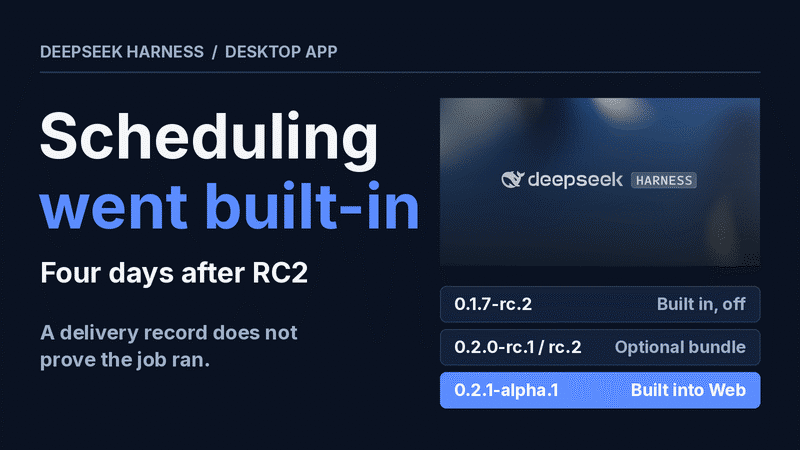
The DeepSeek Harness desktop app reached 0.2.0-rc.2 on September 29, 2026, with its own bundled runtime, and 0.2.1-alpha.1 on October 3 made scheduled tasks built in. On 0.2.1-alpha.1 or later, one step in an RC2 tutorial no longer matches the product, so check the installed version first. DeepSeek's own documentation adds a second caution: a delivery record on the Automation tasks page shows that an instruction reached the conversation. It says nothing about whether the agent finished the job.
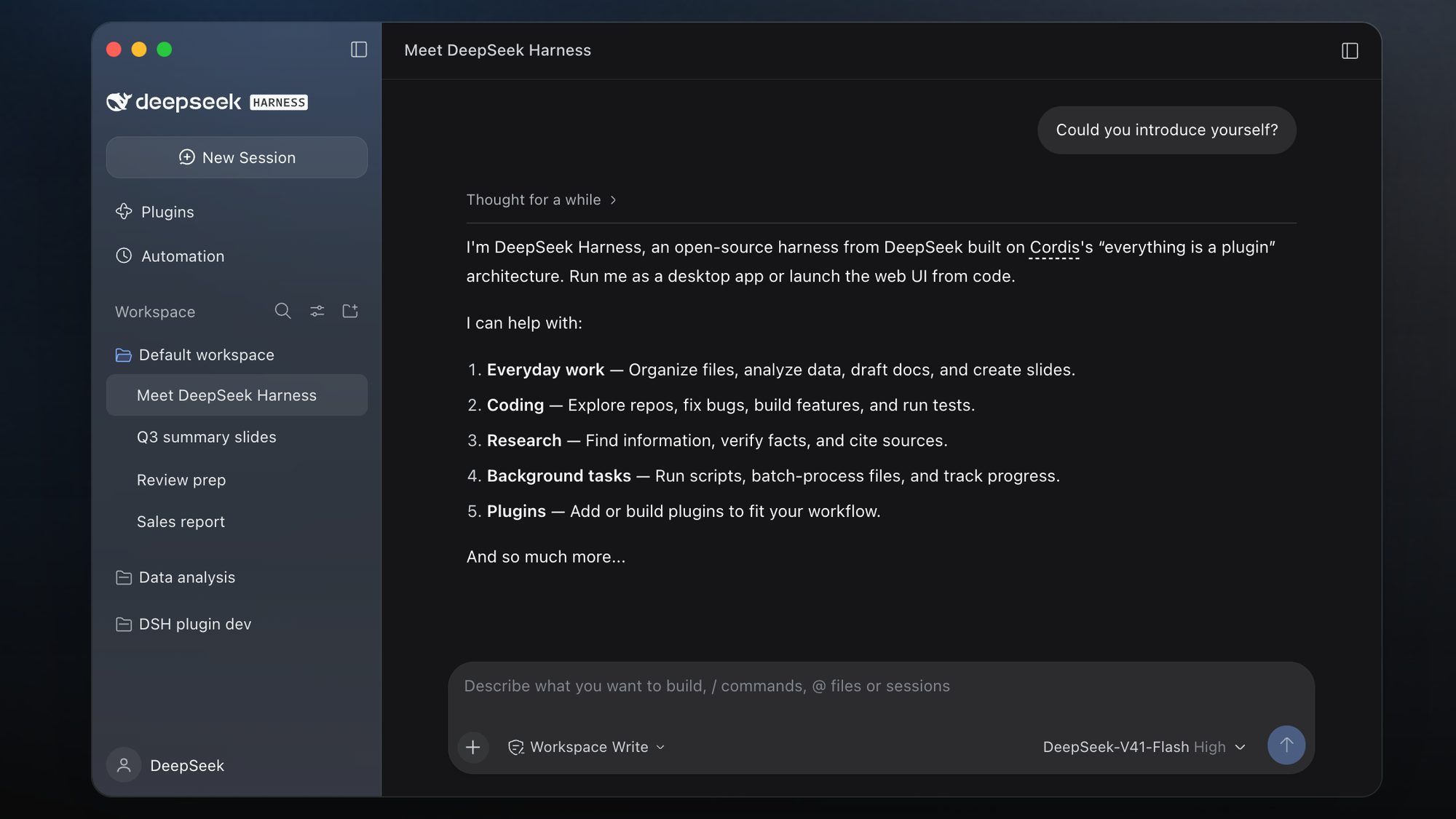
A harness is the application around the model. The model decides what to do next, and the harness supplies the tools to read files, edit code, run commands and check results.
This article follows a public hands-on walkthrough recorded on the RC2 Mac build. The task sequence was a broken sales calculation, an HTML report, a follow-up refinement, a custom plugin and a scheduled task. The test results below are that walkthrough's reported results, and Tenten did not rerun them. Versions, commands, prices and limits come from DeepSeek's documentation as it stood on October 5, 2026.
One RC2 step is outdated and two assumptions no longer hold
DeepSeek Harness 0.2.1-alpha.1, published October 3, 2026, changed how scheduling is enabled and which port Desktop uses, so RC2-era guides need these corrections.
| RC2-era step or assumption | What the documentation says on October 5, 2026 |
|---|---|
| Step: enable Automation tasks from the Official plugin list | Built into Web since 0.2.1-alpha.1; the old bundle selection is cleaned up and stored tasks are kept |
| Assumption: the interface is on port 3080 | Documented for the Web UI; Desktop takes an OS-assigned port by default, so do not assume 3080 there |
| Assumption: scheduling works in every mode | Minimal mode and subagents do not receive the reminder tools |
The release notes date 0.2.0-rc.2 to September 29, 2026, and 0.2.1-alpha.1 to October 3, 2026. Both are marked pre-release. The product page had not caught up on October 5 and still told readers to enable a Scheduled tasks plugin. Which build the installers currently serve was not checked for this article. The correction to the enable step applies once the installed version reads 0.2.1-alpha.1 or later.
Desktop ships its own runtime; Linux still needs Node 22.19 or 24
The official product page offers two installers: macOS for Apple silicon and Windows 64-bit. The Desktop README says the app carries independent Python, Node.js and pnpm distributions. RC2 also packaged the dsh command with both builds, installed from the Manage dsh command menu bar item.
Linux has no installer. The documented route is the Web UI:
npx @deepseek-ai/dsh web
npx @deepseek-ai/dsh web --no-open
The project README puts the Web UI at http://127.0.0.1:3080 by default, and --no-open starts the server without opening a browser tab. The repository's package.json requires Node ^22.19.0 || >=24.0.0. On the Node.js project's previous-releases table, v22 and v24 are both LTS lines in October 2026 and v26 is Current, so all three qualify.
Check three settings before the first prompt
Three DeepSeek Harness settings decide what the first prompt costs and can touch: the model source, Show coding view and the workspace. An API key entered under Settings, then Models, uses API billing. Signing in with a DeepSeek account draws on separate funding and quota. Since 0.1.7-rc.2 on September 24, 2026, the two routes appear as separate model entries.
The second is Show coding view. In the walkthrough it sat under General and exposed the coding trajectory, code changes and agent presets. The 0.2.1-alpha.1 notes add that Standard, Creator and custom modes stay available with the view off, while built-in PTC or Minimal defaults revert to Standard.
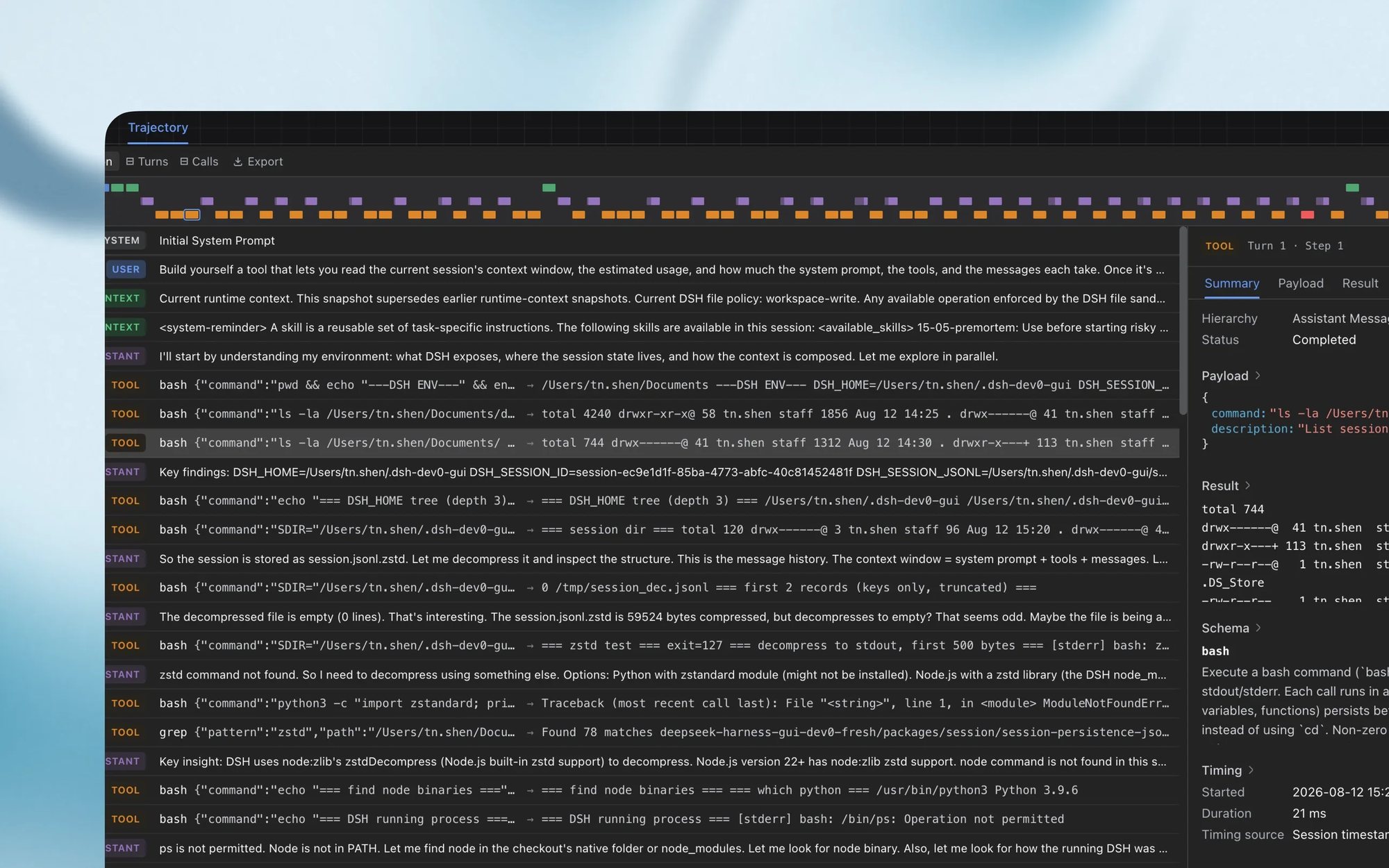
The third is the workspace. Adding a folder in the sidebar and selecting it above the composer are separate steps.
The walkthrough ran DeepSeek V4.1 Flash with Max thinking, Workspace write and Standard mode. Max is a reasoning setting that affects response time and usage, so match it before comparing results with anyone else's. As the walkthrough describes them, Workspace write lets the agent edit files and run project checks, Read only is for inspection, and Full access is broader.
The repair cut a $977 total to $662, and four tests confirmed it
The walkthrough's test project is a fictional merch shop called Northstar: a CSV of 16 orders, a Python reporting script and tests for the calculation rules. The script had two mistakes. It counted cancelled orders, and it did not subtract returned units correctly.
The rules were explicit, which is what made the result checkable. A prompt built from them looks like this:
Inspect this project, explain why the reporting script is wrong, then fix the summarizer.

Rules:
1. Cancelled orders contribute nothing.
2. Completed and refunded orders both count as orders, including fully refunded ones.
3. The returned quantity comes from the refunded units column. Revenue and units must reflect it.
4. Calculate money in integer cents.
5. Taxes, shipping and discounts are out of scope. Do not invent rules for them.

Constraints: do not change the source CSV, and do not change or weaken the existing tests.
When finished, run the existing tests and print the corrected totals.
By the walkthrough's account, the agent reproduced the failures and made two small changes. It skipped cancelled rows and used the actual refunded-units value. All 4 original tests passed, and the CSV and test file were unchanged. The corrected result was 14 orders, $141 in refunds, $662 net and 41 net units. The original script had shown $977.
The check is one command. Python's unittest documentation says a run with no module name starts test discovery, and -v lists each test.
python3 -m unittest -v
One conversation produced the report, after the agent was told to stop
In the same DeepSeek Harness conversation, the walkthrough next asked for an HTML report built on the corrected function and got report.html, build_report.py and calculations.md.
Generate a responsive HTML report from the same CSV, reusing the corrected calculation function.

Include the date range, order count, gross revenue, refunds, net revenue, net units, a product revenue chart and the underlying product table.
Add instructions for regenerating the report when the CSV changes.
Make it one self-contained file with no external libraries and no fetched assets.
Per the walkthrough, opening report.html from Workspace files in the right sidebar rendered it inside the app. The page showed $662 net and 41 net units, matching the walkthrough's separate calculation. Rerunning the generator, build_report.py, rebuilds the report from an updated CSV:
python3 build_report.py
This part needed direction. The agent fixed a syntax error in the generator, then spent time on a slow browser screenshot job and repeated checks. The operator had already confirmed the preview worked and told the agent to drop the screenshot and finish. In the walkthrough, the relevant control is Send behavior while busy, under General. With Queue selected, a waiting instruction can be edited, removed or steered.
The follow-up prompt asked for a product filter:
Add a product filter dropdown, a clear reset control, and a highlight on the selected product in the chart and table.
Keep the whole-shop totals visible and label them as whole-shop figures so they cannot be confused with a single product.
Per the walkthrough, Launch Tee showed $200 net and 8 units, and Studio Hoodie showed $180 and 3 units. The whole-shop block stayed at 14 orders and $662. The walkthrough's separate check covered all 5 products, and the original tests still passed.
Previews have limits that the document preview README spells out. Word and PowerPoint files convert locally to PDF. The spreadsheet viewer shows saved formula results without recalculating. Charts, images, shapes and conditional formatting are not displayed, and a notice recommends opening the workbook in a system application.
Installing a plugin runs code with your permissions
In the walkthrough, the Official tab lists optional bundles that ship with Harness and still need enabling. The plugin publishing guide accepts four sources: a local path, an npm package, a Git repository or a tarball. That guide treats allowing a Git package's prepare script as permission to execute its code at install time, outside any sandbox. The walkthrough adds that a finished download does not mean an enabled plugin, so check the list after installing. Vet a package from an unknown source before adding it.
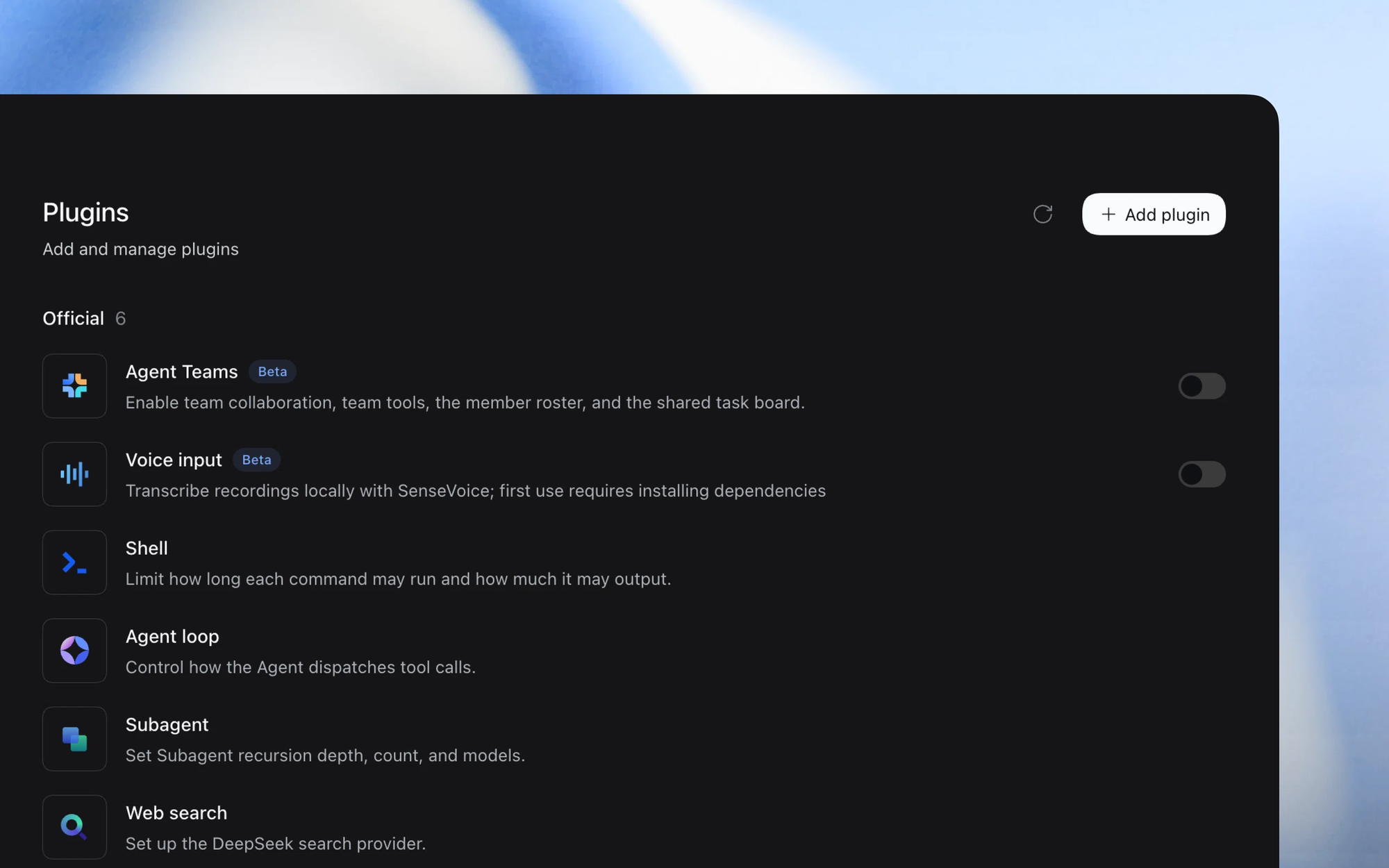
Creator mode has the agent write the plugin. The walkthrough asked for a small panel:
Build a "Report checklist" sidebar panel with three items:
1. Verify source data
2. Review calculations
3. Open the final report

Show a completed count and provide a reset button.
Write the source to a folder first. Do not install it yourself.
Creator spent a long time examining the runtime until the operator narrowed the instruction to the APIs it had already inspected. After a review of the generated files, Add plugin took the local folder path and Enable activated it without a restart. The counter reached 3 of 3, survived a panel switch and cleared on reset. State lived in memory, so a full reload would lose it.
A delivery record proves receipt; the output file proves the work
The schedule guide lists six timing choices. They are a one-time delay in whole seconds, an absolute date and time, a fixed interval of at least one minute, daily, weekly, and five-field cron. Daily, weekly and cron rules carry an IANA time zone such as America/New_York. The browser supplies its zone for natural-language requests, and the guide says naming one explicitly avoids ambiguity.
The walkthrough used a one-time task set 90 seconds out. It had to read the sales data, run the existing summary and write a reminder file. After it fired, Delivery records showed the instruction, and the original conversation produced tutorial-reminder.md with $662 and 41 net units. The task then went inactive.
Four limits matter more than the demo:
- Saved delivery records confirm that an instruction was persisted in the conversation inbox. They do not confirm that the model completed the work, and exactly-once delivery is not guaranteed.
- Closing the Desktop window hides it while the Host and its tasks keep running. Quitting stops scheduling, and the app warns about interrupted tasks first.
- After a restart, an overdue one-time task is sent, and each recurring task gets only its latest missed occurrence.
- Pause is not supported, and neither is a new session per run. Instructions return to the original conversation.
Four modes set the toolset, and OAuth subscriptions stay out
DeepSeek Harness has four agent modes, and in 0.2.1-alpha.1 only Minimal lacks the scheduling reminder tools.
| Mode | Purpose | Reminder tools in 0.2.1-alpha.1 |
|---|---|---|
| Standard | Default for coding, files and research; supports subagents for bounded work | Yes |
| PTC | Programmatic tool calling; the agent writes TypeScript that coordinates tool calls | Yes |
| Minimal | Close to an experiment baseline, with a persistent shell and fewer features | No |
| Creator | Adds the tools and guidance for extending Harness | Yes |
PTC suits batches of operations but guarantees neither lower cost nor faster completion. A preset applies when a task starts. Changing the default does not swap tools in a running session. Tenten has covered the plugin runtime and its replaceable agent loop separately, along with how Workflow differs from Agent Teams, so neither is repeated here.
The model picker reaches beyond DeepSeek. The model configuration guide lists built-in provider IDs including anthropic, openai, moonshotai and zai, each taking an API key. Custom endpoints can speak OpenAI Chat Completions, OpenAI Responses or Anthropic Messages. The same guide says providers that sign in with OAuth, such as Codex, are not supported yet.
V4.1 Flash peak pricing misses the American workday
Harness is open source under the MIT license. Model calls are billed separately, and a local app does not mean a local model. On October 5, 2026, the pricing page listed deepseek-flash, served by DeepSeek-V4.1-Flash, at $0.15 per million cache-miss input tokens off-peak.
| Billing category | Off-peak, per 1M tokens | Peak, per 1M tokens |
|---|---|---|
| Input, cache hit | $0.003 | $0.006 |
| Input, cache miss | $0.15 | $0.30 |
| Output | $0.60 | $1.20 |
Peak hours are 01:00 to 04:00 and 06:00 to 10:00 UTC, Monday through Friday, excluding Chinese public holidays. In Eastern Daylight Time, that is 9 p.m. to midnight and 2 a.m. to 6 a.m. A team working 9 to 5 Eastern or Pacific pays off-peak rates all day. An overnight scheduled task can land in the doubled window.
One prompt is rarely one billable request, because an agent task makes several model calls, reasons, runs tools and may delegate. Here is an illustration with assumed numbers: 2 million input tokens at a 90% cache-hit rate, plus 100,000 output tokens. Off-peak, that is $0.0054 + $0.03 + $0.06, about $0.095. At peak it is about $0.19. That is arithmetic on list prices and no measured bill exists behind it.
The walkthrough shows a small project working end to end, with two interventions. It does not establish how the agent performs on a large production codebase.
FAQ
Does the DeepSeek Harness desktop app require a separate Node.js install?
The DeepSeek Harness desktop app does not need a separate Node.js install, because the macOS and Windows builds carry their own Python, Node.js and pnpm. Node is required only for the Web UI started with npx @deepseek-ai/dsh web, where the repository requires ^22.19.0 || >=24.0.0. The product page listed no Linux installer on October 5, 2026.
Which DeepSeek Harness version made Automation tasks built in?
DeepSeek Harness 0.2.1-alpha.1, published October 3, 2026, made Automation tasks part of Web. Versions 0.2.0-rc.1 and 0.2.0-rc.2 delivered the feature as an optional bundle in the Official plugin list. Existing tasks survive the upgrade, and Minimal mode and subagents do not get the reminder tools.
Do DeepSeek Harness scheduled tasks keep running after the window closes?
DeepSeek Harness scheduled tasks keep running after the Desktop window closes, because closing only hides the window while the Host continues. Quitting the app stops scheduling. On the next start, the schedule guide says an overdue one-time task is sent and each recurring task gets only its latest missed occurrence.
Can DeepSeek Harness use a ChatGPT or Codex subscription login?
DeepSeek Harness cannot use providers that sign in with OAuth, and the model configuration guide names Codex as not supported yet. The supported routes are a provider API key or a custom endpoint using OpenAI Chat Completions, OpenAI Responses or Anthropic Messages. The guide gives no date for OAuth support.
Sources
- DeepSeek AI: DeepSeek Harness releases
- DeepSeek AI: DeepSeek Harness README
- DeepSeek: DeepSeek Harness product page
- DeepSeek AI: DeepSeek Harness Desktop README
- DeepSeek AI: Schedule reminders
- DeepSeek AI: Configure models
- DeepSeek AI: Document preview README
- DeepSeek Harness: Package and install a plugin
- DeepSeek API Docs: Models and Pricing
- Node.js: Previous Releases
- Python Software Foundation: unittest
Author Insight
Scheduling took three forms in nine days: built in but off on September 24, an optional bundle on September 28, built in again on October 3. That churn sets the threshold. Until a stable release exists, an unattended weekly report should not depend on Desktop scheduling alone unless a second check opens the output and compares the numbers. The delivery record cannot serve as that check, because the documentation defines it as proof of receipt.
The app is ready today for a narrower case: a small project whose correct answer is already written down, the way 4 tests and $662 were here. A task with no stated success condition cannot be accepted in this harness or any other.
About the author
Crafting seamless user experiences with a passion for headless CMS, Vercel deployments, and Cloudflare optimization. I'm a Full Stack Developer with expertise in building modern web applications that are blazing fast, secure, and scalable. Let's connect and discuss how I can help you elevate your next project!
Comments
Join the discussionNo comments yet. Be the first to comment.