Cloudflare can put a website, mail forwarding, R2 storage and AI behind one domain, with 100,000 free Worker requests a day. Cloudflare's pricing documentation, checked on October 10, 2026, treats the services as separate meters. A domain registration, storage overages and model inference can still cost money.
For a personal site or a small utility, the attraction is fewer systems to operate. You can serve a static site without maintaining a server, forward incoming mail and add an AI endpoint when the site needs one. Each component has its own test, so a broken model call doesn't require rebuilding your DNS setup.
The walkthrough uses example.com. Replace it with a domain you own. The finished layout uses www.example.com for the site, hi@example.com for incoming mail, img.example.com for public images and ai.example.com for the model endpoint.
1. Cloudflare separates the front door from application services
Cloudflare handles both domain resolution and application requests. DNS maps a hostname to a destination; enabling the website proxy sends requests through Cloudflare before they reach cached content, a server or application code.
Cloudflare Workers runs serverless application code. Workers Static Assets serves files, R2 stores objects, and Workers AI hosts model inference. The cf CLI gives developers and coding agents a command-line interface to account resources.
Start with the free allocations, but keep their units separate. These are the official allocations checked on October 10, 2026.
| Service | Free allocation and boundary |
|---|---|
| Workers | 100,000 dynamic requests per day; up to 10 milliseconds of CPU per request; files served directly by Static Assets have free, unlimited requests |
| R2 Standard | 10 GB-month of storage per month, 1 million Class A operations and 10 million Class B operations; no egress charge |
| Workers AI | 10,000 Neurons per day; consumption varies with the model and input and output length |
| Email Routing | Receive and forward mail to verified destination addresses; available on Free and Paid plans |
Free static requests apply to the static serving path. A request that executes Worker code can have a different meter. Worker Cache also has its own request billing rules; “static” is not a blanket exemption for every configuration.
R2 activation includes a subscription and billing setup. Its free allocation reduces the bill; it does not prevent paid storage or operation usage above that allocation. Keep that distinction in mind before publishing an unbounded download service.
2. Cloudflare DNS works with your existing registrar
Cloudflare can manage DNS while your domain stays at its current registrar. Domain renewal and DNS hosting are separate responsibilities, so changing nameservers does not require transferring the registration.
Add the root domain, example.com, to Cloudflare and choose the Free plan. Review the records Cloudflare discovers. An automatic scan can miss existing records.
Compare the root and www records with the old DNS configuration. Check MX records for mail and TXT records for SPF and DKIM. Export or copy the old records before changing anything. A site can remain reachable while missing mail records break delivery.
At the registrar, replace the old nameservers with the two complete names assigned to your zone. Use only the nameserver values assigned to your account. If DNSSEC is active, disable the old registrar-side configuration before switching nameservers. After Cloudflare reports the zone as active, enable DNSSEC with the new DS information.
Check both the dashboard and public DNS. The zone should become Active and an NS lookup should return the assigned nameservers. Open the existing website and send a test email. If activation stalls, inspect the registrar and old DNSSEC settings before repeatedly changing the nameservers.
3. Proxy websites; keep SSH and mail hosts directly reachable
Cloudflare's orange cloud means web traffic uses the proxy. A gray cloud means DNS-only resolution, with clients connecting directly to the destination in the record.
Website A, AAAA and CNAME records can use the proxy when appropriate. An SSH hostname usually needs DNS-only resolution, as does the A record used by a mail server. MX and TXT records do not have a website proxy toggle.
For HTTPS, inspect both connections: browser to Cloudflare and Cloudflare to the origin server. Full (strict) verifies the origin certificate. The origin needs a valid certificate for the hostname; a browser padlock alone does not prove that both connections are configured correctly.
Flexible uses HTTP to reach the origin. If the origin redirects that request to HTTPS, the proxy can create a redirect loop. Fix the origin certificate and choose an appropriate TLS mode. Cloudflare is rolling out automatic mode, so availability depends on what the account currently shows.
A Workers Custom Domain uses the Worker itself as the origin. There is no VM certificate for you to maintain in that setup. Apply the origin-server instructions to server-backed sites, rather than forcing the same configuration onto a Worker.
4. A GitHub site needs an explicit asset directory
Cloudflare Workers Static Assets can publish HTML, CSS, JavaScript and images. A GitHub repository provides the source, but deployment still needs to know which directory contains the website files.
Use a minimal project first. Create public/index.html with this content:
<!doctype html>
<html lang="en">
  <meta charset="utf-8">
  <meta name="viewport" content="width=device-width, initial-scale=1">
  <title>My website</title>
  <h1>The website is deployed</h1>
</html>
Create wrangler.jsonc at the project root. The compatibility date below is the date used for this example.
{
  "name": "one-domain-site",
  "compatibility_date": "2026-10-10",
  "assets": {
    "directory": "./public"
  }
}
Run the following commands from that root directory. The first starts a local preview; the second deploys using your Cloudflare authentication and authorization.
npx wrangler dev
npx wrangler deploy
Open the returned workers.dev URL and check the actual page title and content. A successful command with the wrong asset directory can still produce the wrong site. Verify the output before adding the production domain.
For automatic builds, connect the repository through the Workers creation flow. GitHub's app installation instructions allow access to selected repositories. Grant access to the repository this deployment needs, then set the branch, build command and asset directory.
Plain HTML does not need a framework build step. A framework project needs its real output directory and build process. Commit a small visible change, then confirm that the deployment succeeds and the public page shows that change.
Add www.example.com under the Worker's Domains & Routes as a Custom Domain. The domain must belong to a zone in the same account. Cloudflare creates the DNS and certificate configuration. If the hostname already has a CNAME, check its existing purpose before replacing it, or start with an unused hostname.
5. Email Routing forwards incoming mail to a verified inbox
Cloudflare Email Routing sends mail for a custom address to an inbox you already use. The destination address must be verified before the forwarding rule can work.
Add a destination in Email Routing and follow the verification email in that inbox. Create the custom address hi@example.com and select the verified destination. Apply the MX and authentication records shown by the current setup flow.
Existing mail service needs a migration decision. Replacing its MX records changes where the domain receives mail. Two providers do not automatically split deliveries for the same domain just because both have accounts configured.
A catch-all accepts addresses that lack an explicit rule, but it can also increase unwanted mail. Start with a named address if that's all the site needs. Test from another email account, check spam folders and confirm the destination's verification status.
Email Routing does not provide a complete hosted mailbox or unrestricted outbound mail. Sending as hi@example.com needs a sending service and a valid sender setup. Cloudflare Email Sending is currently a Beta feature generally available on Workers Paid. Its documentation also permits free sending to verified destination addresses in your own account on all plans. That exception does not make arbitrary outbound delivery free.
6. R2 public images and private backups need separate buckets
Cloudflare R2 stores images, attachments and backups as objects. A new bucket is private by default; uploading a file does not automatically create a public download URL.
Complete the R2 subscription and billing setup, then create a Standard bucket. Use site-images for public media and site-backups for backups. Keep the backup bucket private and access it through an appropriately authorized tool or API.
The storage pricing table, checked on October 10, 2026, includes 10 GB-month per month for Standard. It also includes 1 million Class A operations and 10 million Class B operations. Writes and reads fall into different operation classes, so track the meters independently.
GB-month measures storage use over time; the free allocation renews monthly. Standard overage costs $0.015 per GB-month, $4.50 per million Class A operations and $0.36 per million Class B operations. Egress is free, but storage and operations can still generate a bill.
For public images, connect img.example.com to the image bucket. An object named logo.png should be reachable at https://img.example.com/logo.png. A custom domain supports the cache and access-control features available through Cloudflare.
The r2.dev endpoint is intended for development and has rate limits. It lacks the custom-domain cache and security features. Disable that public endpoint when you intend all access to pass through your custom domain's controls. Keep both public access methods disabled on the backup bucket.
Test the two buckets separately. An unsigned, logged-out browser should load the public image. A backup should remain inaccessible through an unauthenticated public URL. Inspect the storage and operation counters after the test, so the setup has a billing check as well as a working image.
7. Crawler blocking and AI Labyrinth do different jobs
Cloudflare AI Crawl Control identifies supported AI crawlers and provides per-crawler allow or block settings. A site that depends on search discovery needs to distinguish the crawlers it wants from the ones it intends to restrict.
Inspect request sources and response statuses before choosing a rule. A 404 usually means a missing page; it does not prove a crawler was blocked. After changing a rule, inspect new requests of the same type and check that ordinary visitors can still reach the site.
Cloudflare AI Labyrinth adds invisible nofollow links that lead noncompliant crawlers to other pages. The feature does not block or challenge requests. It can increase the cost of ignoring crawl restrictions, but it is not a substitute for an explicit access rule.
Configure the site before tuning crawler controls. With a known working page, you can tell whether a later failure comes from the deployment or a traffic rule. Use an actual blocking control when the requirement is to prevent access by a particular crawler.
8. Get a Worker responding before adding dependencies
Cloudflare Workers receives HTTP requests and returns responses. Create a Worker named hello-ai from the dashboard's Hello World template, deploy it and open its workers.dev URL.
A working Hello World provides a useful baseline. Add storage and AI only after the response is correct. That sequence separates deployment and domain failures from failures in a new dependency.
A binding connects a Cloudflare resource to the Worker's environment. The binding name must match the property the code reads. An AI binding named AI, for example, is available as env.AI.
Choose data storage around the query. Key-value reads work for configuration, cached values and short links. Table data that needs filtering and SQL queries belongs in a database.
| Service | Suitable data | Free allocation |
|---|---|---|
| Workers KV | Configuration, cache entries and short links read by key | 100,000 reads and 1,000 writes per day; 1 GB of storage |
| D1 SQLite database | Comments, orders and other records queried with SQL | 5 million rows read and 100,000 rows written per day; 5 GB of storage |
The Workers Free CPU limit is 10 milliseconds per request. Waiting for a network or model response does not count as CPU time. Long synchronous loops and calculations do. A request taking several seconds to finish is not, by itself, evidence of a CPU-limit violation.
9. An AI binding connects the Worker to Gemma
Cloudflare Workers AI lets a Worker call a hosted model through a binding. This example uses @cf/google/gemma-4-26b-a4b-it, fixed input and a JSON response to make the first test easy to inspect.
Add a Workers AI binding to hello-ai and name the variable AI. Replace the Worker code with the following, save it and deploy:
export default {
  async fetch(request, env) {
    const answer = await env.AI.run("@cf/google/gemma-4-26b-a4b-it", {
      messages: [
        { role: "system", content: "You are a concise English-language assistant." },
        { role: "user", content: "Explain CDN in two sentences." },
      ],
      chat_template_kwargs: { enable_thinking: false },
    });
    return Response.json(answer);
  },
};
The model identifier, messages and chat_template_kwargs are part of the API contract. The current model documentation supports enable_thinking in that field. Switching models requires checking the replacement's schema; identical-looking chat models do not necessarily accept identical options.
Open the deployed URL and inspect the returned JSON. If the call fails, check the binding name, deployed version, model identifier, error status and usage. Add ai.example.com after this test passes, then configure the authentication and cross-origin behavior your client needs.
The example has no user authentication and calls the model on every request. Add access control and rate limits before making it a public service. A token embedded in browser JavaScript is visible to visitors and cannot protect a private backend. The fixed prompt limits this example to connectivity testing.
The inference pricing documentation, checked on October 10, 2026, provides 10,000 free Neurons daily, resetting at 00:00 UTC. A Neuron is a billing unit, not a token. Model selection and input and output length affect consumption.
If a hypothetical request consumed exactly 2 Neurons, the arithmetic would allow 5,000 such requests a day. That is an illustration, not a measurement of this Gemma example. Read the usage information for your own workload instead of adopting another account's request count.
On Free, requests fail after the daily allocation is exhausted. On Workers Paid, usage above the free allocation costs $0.011 per 1,000 Neurons. A public endpoint therefore needs a spending decision as well as protection against unwanted requests.
Cloudflare launched Clef decision models on October 1, 2026. Its October 9, 2026 update added Clef-omni and changed hosted Clef-flash pricing and context. Clef returns decisions and probabilities over allowed options; Gemma generates text. Choose between those tasks before choosing between prices.
| Model | Foundation or role | Current hosted specification and input price |
|---|---|---|
| Clef | Qwen 3.8 27B decision model with text and image input | 65,536-token context, described as 64K in the announcement; $0.24 per million input tokens |
| Clef-flash | Qwen 3.5 9B, optimized for fast decisions | $0.038 per million input tokens from October 9, 2026; hosted context reduced from the advertised 64K to 24K, specified as 24,576 tokens in the model docs |
| Clef-omni | Adds audio and video alongside text and images | Launched October 9, 2026; $0.15 per million input tokens |
The Clef-flash weights were not changed by the hosted context reduction. Self-hosted limits and Workers AI limits need separate checks. Cloudflare also publishes latency measurements for particular input lengths. This walkthrough uses the official specifications and prices, without a cross-cloud performance test or a per-request latency guarantee.
10. cf discovers commands and previews account changes
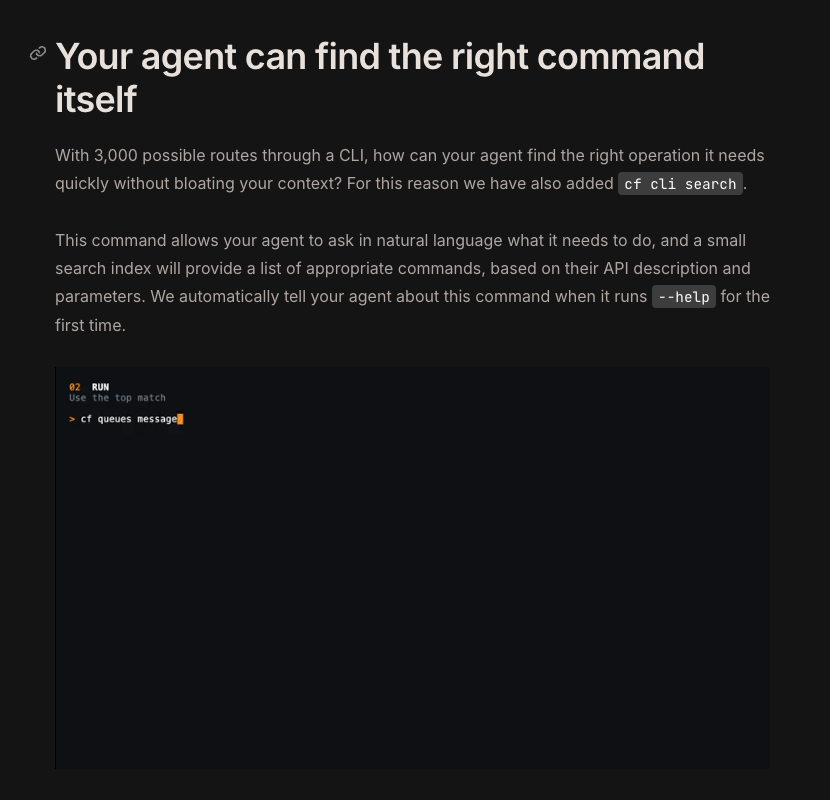
Cloudflare released the cf CLI Beta on September 28, 2026. The tool covers the broader Cloudflare API and returns structured JSON, which gives coding agents a practical interface for resource operations.
The current Agent documentation describes more than 2,900 commands; the launch announcement describes more than 3,000 API operations. Those are different counts. Wrangler focuses on Workers projects. Keep the existing project toolchain when a repository already has Wrangler configuration: cf project commands can ignore that configuration until it is migrated.
Install and authenticate with these commands. The login launches an authorization flow; check the account and requested permissions on the legitimate Cloudflare page.
npm install --global cf
cf auth login
For a D1 database, discover the relevant command first:
cf cli search "create D1 database"
Inspect the command's fields and types:
cf schema d1 create
Preview the request before executing it:
cf d1 create --name my-database --dry-run
The Agent operation contract says schema inspection and dry runs work without credentials. A preview proves how a request will be assembled; it does not create the database. Before removing --dry-run, confirm the account, resource name, permissions and cost. Query the resource after execution to verify the result.
Use this instruction in the agent's project guidance:
When interacting with Cloudflare, use the cf CLI unless the project has a Wrangler configuration file.
The instruction selects a tool. It does not authorize every destructive operation. Scope API tokens to the resources and actions needed, give them suitable expiration and provide them through environment variables or a secure credential store. Keep tokens out of chat logs, source code and Git.
Deletion needs a resource check. The Agent documentation says a destructive command in a noninteractive session may print Aborted. and exit with code 0 when --force is missing. That exit code does not prove deletion. Re-query the resource, and inspect the schema before adding flags. In some operations, --force is an actual API parameter with resource-level consequences, so automatic retry logic should not append it blindly.
11. Track each quota and troubleshoot the failing layer
Cloudflare services have independent allocations and billing units. Daily requests, monthly operations and stored data are different limits; none is a useful substitute for the others.
The table below summarizes official documentation checked on October 10, 2026. Prices are in US dollars. Paid allowances and actual bills depend on the services enabled in the account.
| Service | Free allocation | When the allocation is insufficient |
|---|---|---|
| Workers | 100,000 dynamic requests daily; 10 milliseconds of CPU per request; directly served Static Assets requests are free and unlimited | Workers Paid starts at $5 per account per month, includes specified usage and charges overages |
| Pages | 500 builds monthly, 1 concurrent build, 20,000 files per site and 25 MiB per file | Check the current plan and product limits; existing Pages remains documented |
| Workers KV | 100,000 reads and 1,000 writes daily; 1 GB of storage | Check Workers Paid allowances and operation prices |
| D1 | 5 million rows read and 100,000 rows written daily; 5 GB of storage | Check paid allocations; query design and indexes also affect rows read |
| R2 Standard | 10 GB-month, 1 million Class A operations and 10 million Class B operations monthly; free egress | Storage and operation overages are billed; other storage classes have different rules |
| Workers AI | 10,000 Neurons daily | On Workers Paid, excess use costs $0.011 per 1,000 Neurons |
| Email Routing | Incoming mail and forwarding | Configure outbound sending separately; routing is not a full mailbox allowance |
Site and Worker failures are easier to diagnose at the layer that caused the symptom. Begin with these six checks.
| Symptom | First check | First action |
|---|---|---|
| Browser reports too many redirects | Flexible mode and an origin HTTPS redirect | Fix the origin certificate, then use appropriate Full (strict) or available automatic mode |
| Domain never becomes active | Registrar nameservers and old DNSSEC configuration | Confirm both complete nameserver values, resolve the old DS configuration and allow propagation |
| Mail stops after the DNS switch | MX, SPF, DKIM and destination verification | Restore the correct records, verify the destination and retest from another account |
| SSH connection fails | Orange-cloud proxy on the SSH hostname | Use a DNS-only hostname or the correct IP |
| R2 images slow down or are rate limited | Development access through r2.dev |
Move production access to a custom domain, then inspect caching and access rules |
| Worker exceeds CPU limits | Synchronous loops, parsing and computation | Reduce or move CPU-heavy work; evaluate Paid if required |
Follow this order to keep each new dependency testable:
- Add the domain and verify nameservers, the existing website and incoming mail.
- Deploy the GitHub site and confirm the public page matches the latest commit.
- Configure
hi@example.comand confirm a message from another account arrives. - Publish an image through R2; keep the separate backup bucket private.
- Inspect crawler requests, apply the relevant rule and retest normal traffic.
- Deploy the AI Worker and check JSON output, access control and real usage.
- Use cf to search, inspect a schema and preview a change; query the result after execution.
FAQ
Can Cloudflare use one domain for a site, mail and AI?
Cloudflare can combine a website, Email Routing, R2 and Workers AI under one domain, typically using separate hostnames for each role. Workers Free includes 100,000 dynamic requests daily; storage operations and AI Neurons have independent meters. Domain registration, outbound mail service and overages need separate cost decisions.
Can Cloudflare Pages host a file larger than 25 MiB?
Cloudflare Pages limits individual files to 25 MiB. Large videos or downloads should use suitable object storage, with the site linking to the object. A higher build allowance does not remove the per-file limit.
Does Cloudflare R2 Infrequent Access share the Standard free allowance?
Cloudflare R2's free allowance applies only to Standard storage. Infrequent Access includes retrieval charges and a minimum 30-day storage period, so the Standard cost calculation does not apply. Choose the class around how often the objects will be read and how long they will be kept.
Does a public Cloudflare R2 bucket list every object?
Cloudflare R2 public URLs allow access to known object paths, but the bucket's root does not provide an object listing. Lack of a listing does not make the objects private: a visitor who knows or guesses a public path can still retrieve it. Keep confidential backups in a nonpublic bucket.
Sources
- Workers pricing and CPU and daily limits
- Domain onboarding and DNSSEC and SSL/TLS modes
- Static Assets setup and Workers Custom Domains
- GitHub: installing a third-party app and choosing repository access
- Email Routing setup and Email Service plan eligibility
- R2 pricing and public buckets and custom domains
- AI Crawl Control and AI Labyrinth
- KV pricing, D1 pricing and Pages limits
- Workers AI pricing and Gemma 4 26B A4B IT input schema
- Clef launch, October 1, 2026 and Clef family update, October 9, 2026
- Clef specifications, Clef-flash specifications and Clef-omni specifications
- cf launch, September 28, 2026 and cf Agent operation contract
Author Insight
Cloudflare Workers Static Assets and Workers AI are a good starting point for a portfolio or a lightly used utility. Direct static serving avoids a server to maintain, and the daily 10,000-Neuron allocation leaves room to explore an AI feature. My recommendation changes when a public AI endpoint needs continuous availability: Free requests fail at the quota boundary. Budget for Paid and set usage controls before offering that endpoint to users who depend on it.
Glossary
| Term | Meaning in this walkthrough |
|---|---|
| Nameserver | Server answering DNS queries for the domain; changed at the registrar during onboarding |
| DNSSEC | Signed DNS responses; a provider change requires handling old and new DS configuration |
| Origin | Server providing the website behind the Cloudflare proxy |
| Static Assets | Deployed HTML, CSS, JavaScript, images and other files served directly |
| Binding | Configuration connecting AI, KV, D1 or another resource to a Worker's environment |
| GB-month | Storage consumption measured over the month |
| Neurons | Workers AI billing units, not an interchangeable token count |
| Schema | Fields, types and structure accepted by a command or API |
| Dry-run | Preview of a request without creating or changing the resource |
About the author
Crafting seamless user experiences with a passion for headless CMS, Vercel deployments, and Cloudflare optimization. I'm a Full Stack Developer with expertise in building modern web applications that are blazing fast, secure, and scalable. Let's connect and discuss how I can help you elevate your next project!
Comments
Join the discussionNo comments yet. Be the first to comment.